Connecting Samsung Health to Health Connect
Date: February 6, 2026
To sync your data between Samsung Health and Health Connect follow the instructions
below:
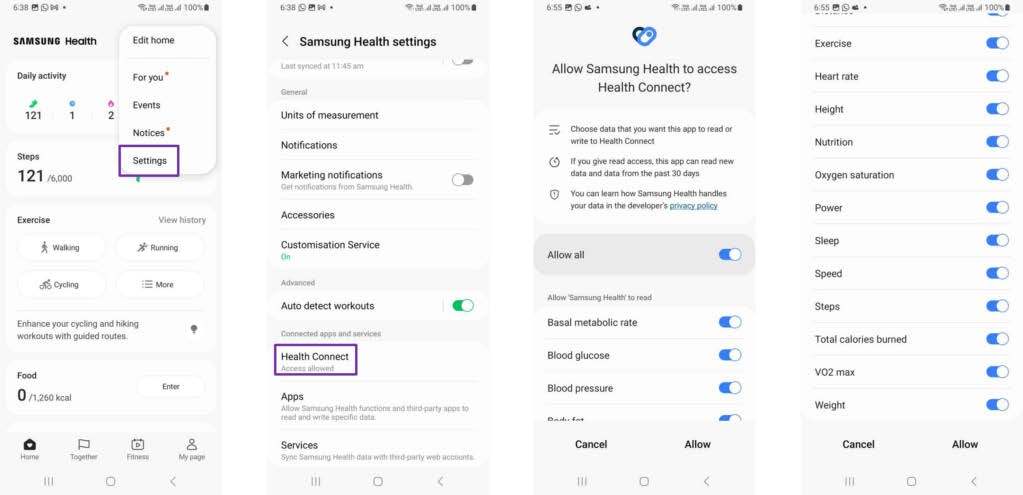
- Open Samsung Health and Click Settings
- From the Settings menu, select Health Connect (If Health Connect is not installed on your phone follow the prompt to install it via this link: Health Connect)
- Click the Health Connect menu item as listed in Samsung Health and you are asked to grant permission to share your Samsung Health
- Data with Health Connect. Select the data you consent to share and click Allow.
Once your Samsung Health account is connected to Health Connect follow link below to connect Health Connect to Wellnify.ai.
Want to download this how-to as a PDF? Click here.
Stay Connected
We use social media to share resources, tools, and information to help you, your family, and your friends live healthy lives. It’s also a great way to join and connect with a growing network of Texans committed to making living healthy easier in our great state!