How to confirm your steps are syncing (Android)
Date: February 21, 2026
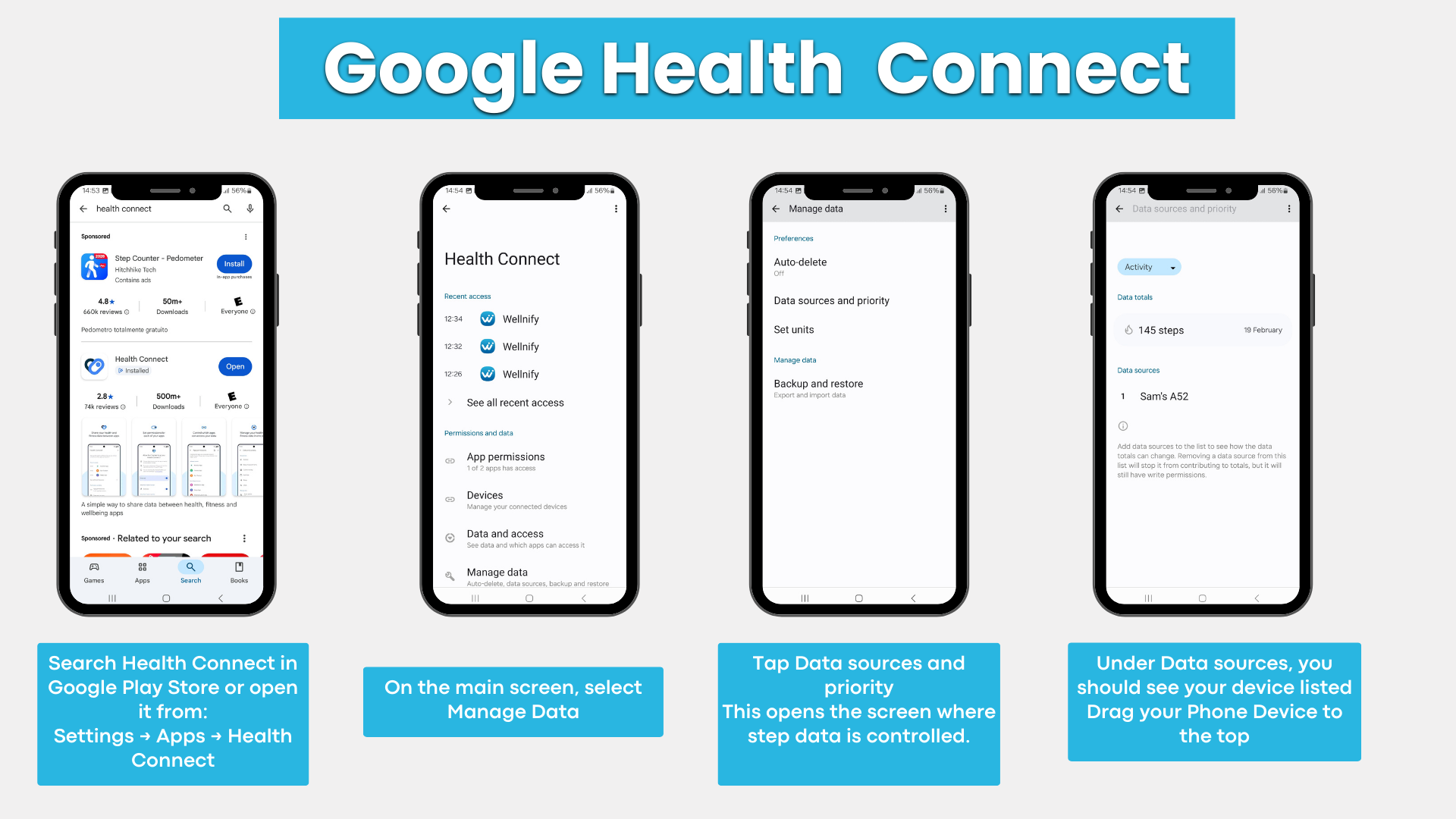
1. Open Health Connect
(Settings → Apps → Health Connect or open search through “Google Play Store”)
2. Tap Manage data
3. Tap Data sources and priority
4. Ensure Activity is selected and confirm your phone or wearable appears under Data sources
Stay Connected
We use social media to share resources, tools, and information to help you, your family, and your friends live healthy lives. It’s also a great way to join and connect with a growing network of Texans committed to making living healthy easier in our great state!