
Connecting Heal the Connect to Wellnify App
Date: February 6, 2026
Before You Connect
Before connecting Health Connect to Wellnify.ai, you must have the Health Connect app downloaded on your phone. If it’s not already installed on your phone, the Health Connect app can be downloaded for free from the Google Play Store.
Enabling App Permissions
Health Connect is compatible with the applications listed here. Once you download Health Connect, you will need to make sure Health Connect has permission to sync your data:
1. On your device, open the Health Connect app.
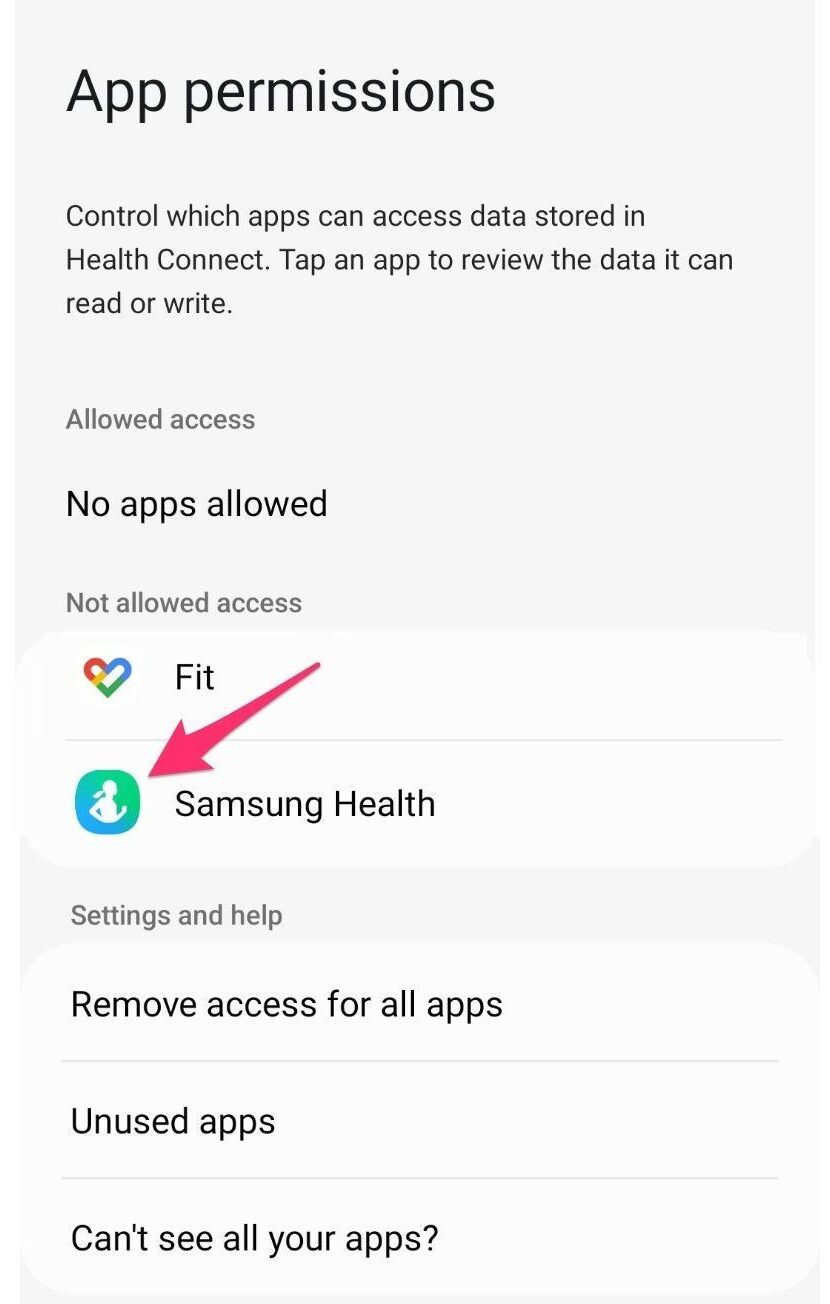
2. Tap App permissions.
3. Select the app(s) that you would like to sync with Health Connect
4. Toggle on or select permissions for app(s) that you would like to sync with Health Connect.
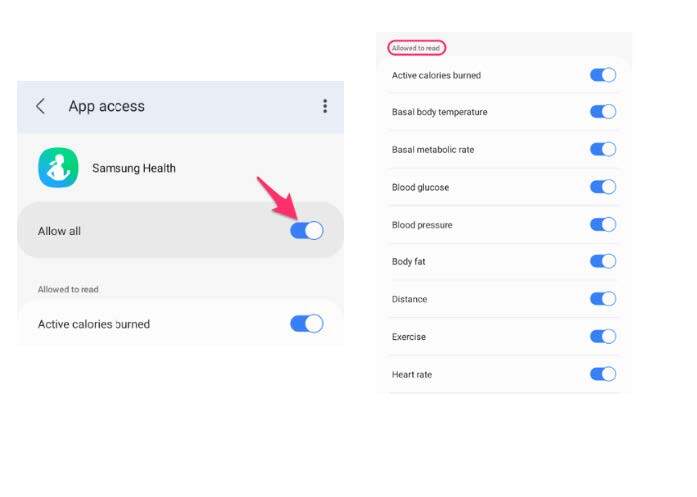
Your application and Health Connect are now linked and data is shared between them.
5. Re-open Wellnify.ai to see if your steps are now connected.
Want to download this how-to as a PDF? Click here.
Stay Connected
We use social media to share resources, tools, and information to help you, your family, and your friends live healthy lives. It’s also a great way to join and connect with a growing network of Texans committed to making living healthy easier in our great state!